
Get guides like this in your inbox every Thursday
Read it here free, or subscribe and get every new one, plus the AI news that matters.
Free, plus 4 starter guides and 55 video effects for Claude when you join. One email a week. Unsubscribe anytime.
What is Agency Agents?
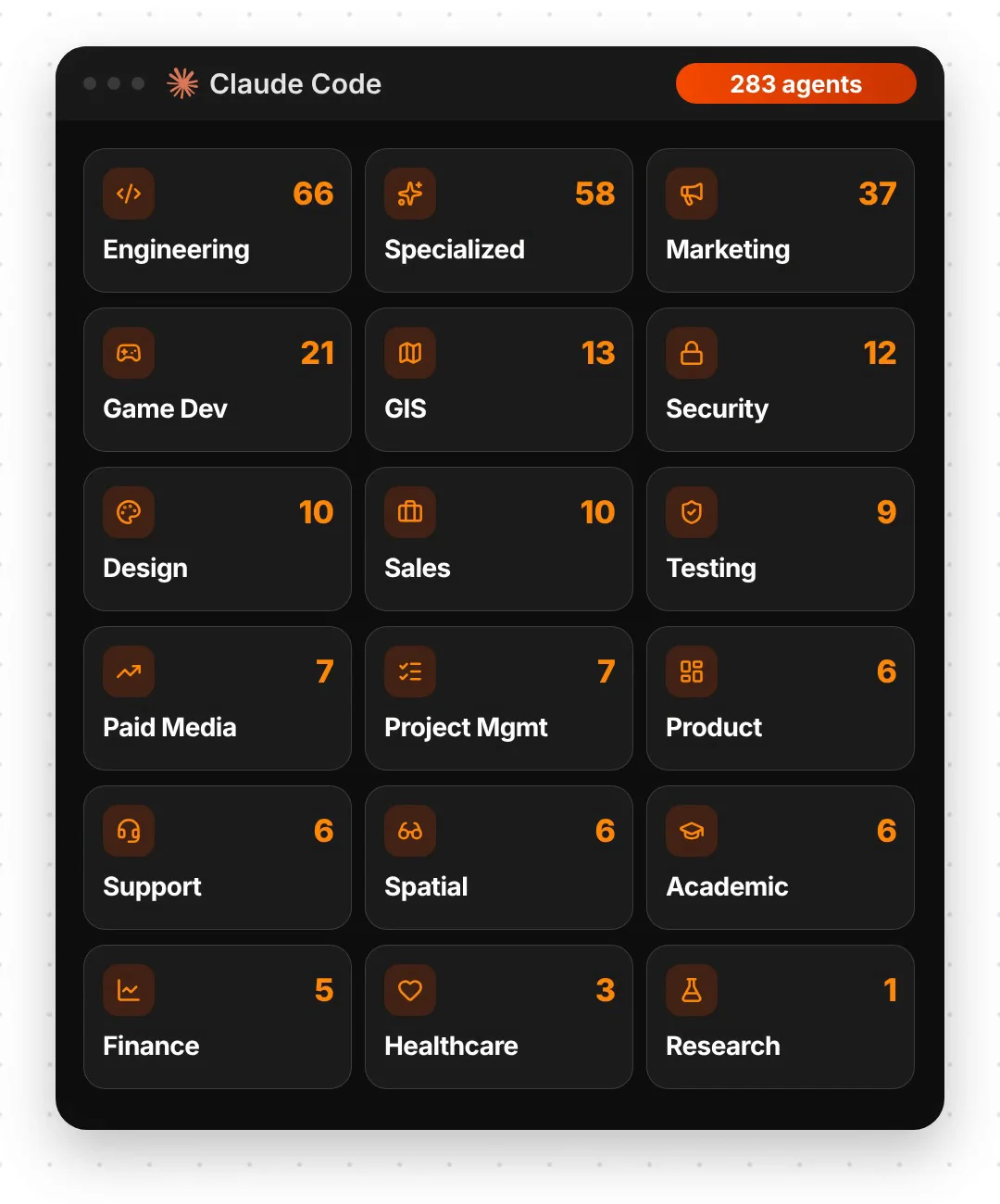
Agency Agents is a free, open-source collection of 283 specialist AI agents for Claude Code and other coding tools, sorted into 18 divisions such as Engineering, Sales, Marketing, Design and Support. The collection is published on GitHub as msitarzewski/agency-agents under the MIT licence, and had over 160,000 stars in November 2026.
Each agent is a single instruction file that gives Claude a role, a way of working and rules for its output. For example, the Outbound Strategist plans prospecting and cold email sequences, the Discovery Coach preps sales calls, and the Frontend Developer builds web interfaces. You call an agent up by name, and Claude works in that role. The biggest divisions are Engineering with 66 agents, Specialized with 58 and Marketing with 37. Step 1: install the agents with the desktop app or one terminal command. Step 2: ask for an agent by name in Claude Code. The agents cost $0, but Claude Code needs a paid Claude plan.
what's insideWhich agents are in Agency Agents?
On 18 November 2026 the repo held 283 agents. The biggest divisions are Engineering (66), Specialized (58) and Marketing (37). The agents from the reel are all there:
- Sales: Outbound Strategist (prospecting and multi-channel sequences), Discovery Coach (call prep), Deal Strategist and Proposal Strategist.
- Engineering: Frontend Developer, Backend Architect and DevOps Automator.
- Marketing: Social Media Strategist, plus dozens more for content and growth.
- Design and support: UI Designer and Support Responder.
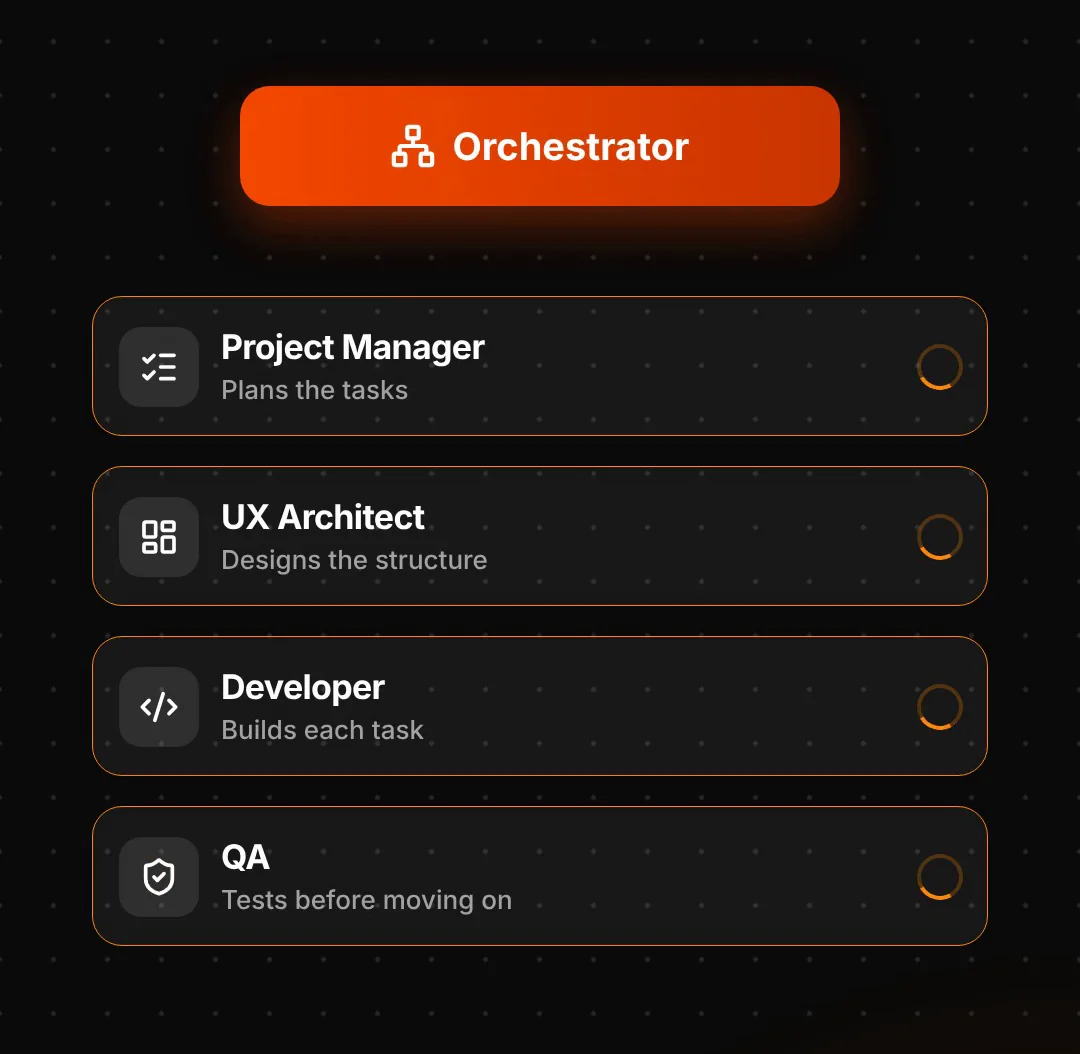
- Specialized: Agents Orchestrator, which coordinates several agents on one project.
The other divisions are Paid Media, Product, Project Management, Testing, Security, Spatial Computing, Finance, Game Development, Academic, GIS, Healthcare and Research.
step 1How do you install Agency Agents?
Option 1, the desktop app. The README recommends the free Agency Agents app for Mac, Windows and Linux. It installs the agents into Claude Code and other tools such as Cursor, Codex, Gemini CLI and OpenCode, and keeps them up to date.
Option 2, the terminal (Mac or Linux). Download the repo and run its installer:
git clone https://github.com/msitarzewski/agency-agents.git
cd agency-agents
./scripts/install.sh --tool claude-code
This copies the agents into ~/.claude/agents/, where Claude Code finds them. Only want one team? Copy a single division instead, for example cp engineering/*.md ~/.claude/agents/. On Windows, use the desktop app.
How do you use the agents?
Start Claude Code and ask for an agent by name. Four prompts to start with:
Activate Frontend Developer mode and help me build a React component for a pricing table.
Use the Outbound Strategist agent. My product: [one line]. My ideal customer: [who]. Write a 3-step cold email sequence.
Use the Discovery Coach agent to prep my call with [company]: research the account, draft my questions and map the decision makers.
Use the Agents Orchestrator. Project: [your project]. Plan the tasks, hand each one to the right specialist agent, and check each step before moving on.
What should you check before using Agency Agents?
- The agents are free; Claude Code isn't. They run inside Claude Code, which needs a paid Claude plan, or inside another coding tool you already use.
- They're roles, not employees. An agent only works while you're using it in a session. Nothing runs around the clock in the background.
- You still check the work. A sales agent can write a cold email, but you decide who gets it and follow the email rules where you sell.
- Start with one division. Pick the team you need now, try two or three agents, then add more.
Links 🔗
- Agency Agents (GitHub) — All 283 agents, MIT licence
- Agency Agents app — Desktop installer for Mac, Windows and Linux
- 5 free Claude Code add-ons — Limits, memory and tokens
- 25 Claude GitHub repos worth using — More repos for Claude Code
Liked this? Get the next one in your inbox.
Every Thursday I research the latest AI systems and workflows, then break the best one down into simple steps, with prompts you can copy. Plus the AI news that changes what you can do.
Free, plus 4 starter guides and 55 video effects for Claude when you join. One email a week. Unsubscribe anytime.