
Get guides like this in your inbox every Thursday
Read it here free, or subscribe and get every new one, plus the AI news that matters.
Free, plus 4 starter guides and 55 video effects for Claude when you join. One email a week. Unsubscribe anytime.
What is Free LLM API?
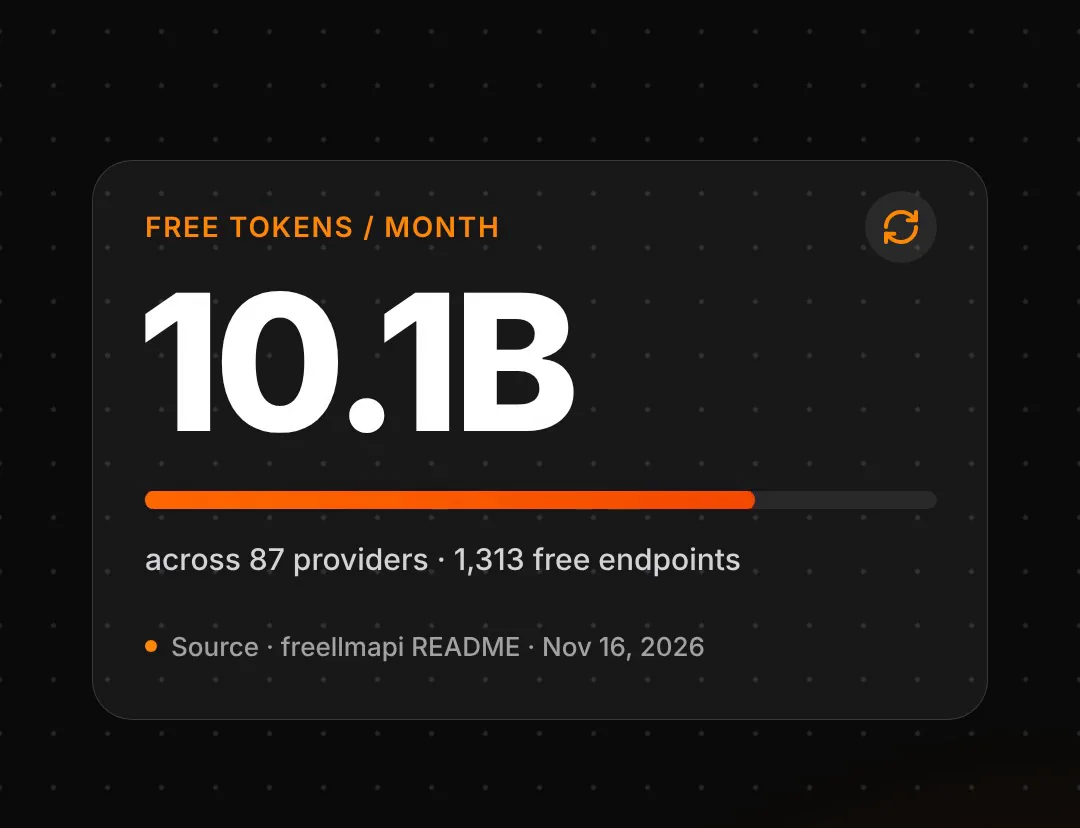
Free LLM API is a free, open-source tool that combines the free tiers of many AI providers into one endpoint that Claude Code can use. The project is published on GitHub as tashfeenahmed/freellmapi under the MIT licence, and passed 50,000 stars in November 2026. According to its README, the pool covers 87 free providers, 1,313 free model endpoints and about 10.1 billion tokens a month, all for $0.
Free LLM API speaks the same language as Claude's API, so Claude Code works as normal while the answers come from free models. For example, a request might go to Google's Gemini, OpenAI's open-weight GPT-OSS, Kimi or Qwen instead of Claude. When one provider hits its rate limit, the router moves the request to the next provider and tracks each key's usage to stay inside the free caps. Setup takes three steps: first install the tool, then add your free API keys, and finally connect Claude Code with one command.
step 1Step 1: Install it
The quickest way is the one-line installer. It needs Docker, a free app that runs the tool in its own container on your computer. Open Terminal and run:
curl -fsSL https://freellmapi.co/install.sh | bash
It sets everything up in a freellmapi folder and starts the dashboard at localhost:3001. It's safe to run again. Don't want Docker? The project page also has a desktop app for Mac and Windows, with no account to create.
Step 2: Add your free API keys
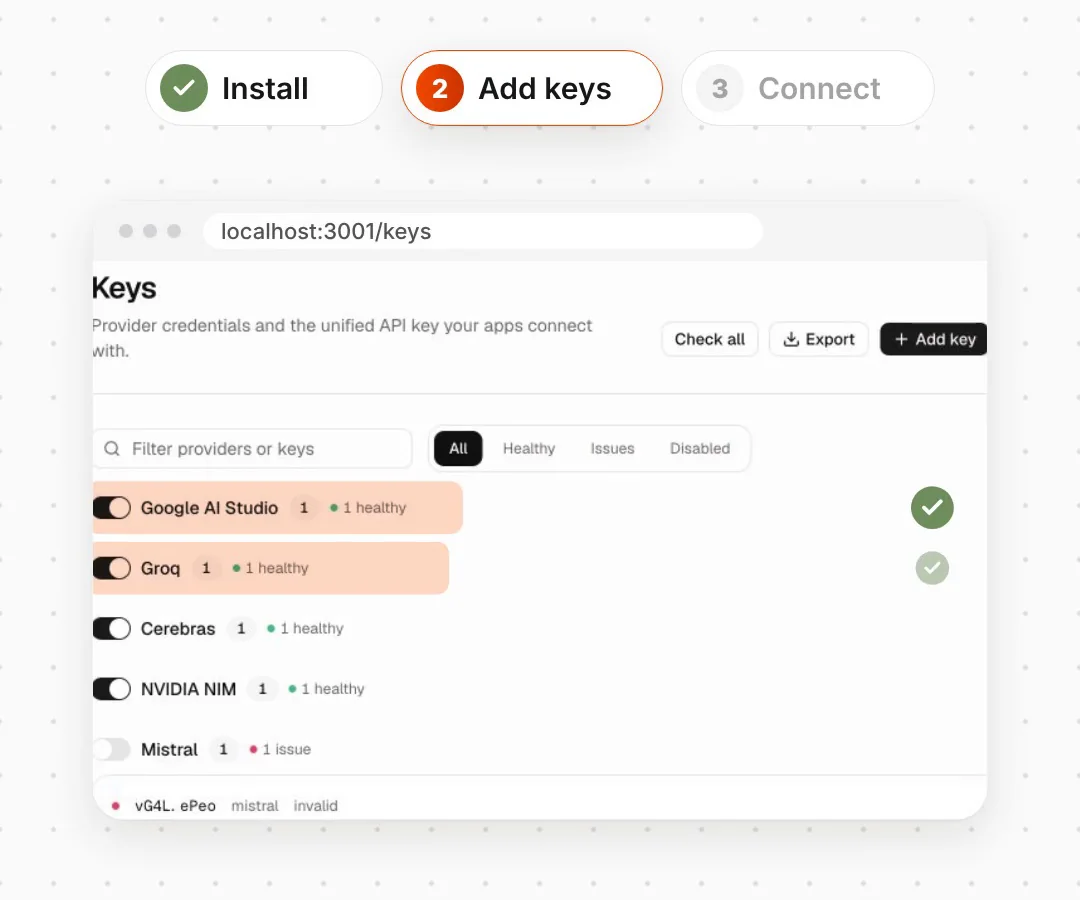
Open the dashboard and go to Keys. Add a free API key from each provider you want to use, such as Google AI Studio, Groq or Cerebras; each one gives you a key on its own website. The more providers you add, the more free capacity the router can spread your work across. Your keys are stored encrypted, and the dashboard gives you one unified key to connect your apps with.
Step 3: Connect Claude Code
npx freellmapi setup-claude --url http://localhost:3001 --api-key YOUR_UNIFIED_KEY
Swap YOUR_UNIFIED_KEY for the key from your dashboard. The command backs up your current Claude Code settings first, then points Claude Code at Free LLM API. Prefer to keep your key out of Claude Code's settings files? Run npx freellmapi launch instead.
Which models does Free LLM API give you?
You get the free models your keys unlock, not Claude. The README names providers such as Google, Groq, Cerebras, Mistral, OpenRouter, Cloudflare, Cohere, NVIDIA and Hugging Face. For each request, the router picks the best model that still has free capacity.
For example, a quick coding question might go to a fast Groq model in the morning and to a different provider later, once the first one hits its daily cap. You won't always know in advance which model answered.
good to knowWhat should you check before using Free LLM API?
- It isn't Claude. Claude Code's tools stay the same, but the answers come from free models. The README says plainly that there are no frontier models in the pool.
- Free has limits. Every provider caps its free tier, so it's not unlimited. The README warns that quality dips late in the day as the best models hit their daily caps, which reset at midnight UTC.
- It's for learning and side projects. The project describes itself as for personal experimentation, not production: speed varies and nothing is guaranteed to stay up.
- Your prompts go to the providers. Each provider's terms apply, including what it does with free-tier data. Don't send code or data you can't share.
- New models arrive later on the free version. Free installs get a monthly snapshot of the model list; a paid Premium plan gets the live list.
Links 🔗
- Free LLM API (GitHub) — The repo and README, MIT licence
- freellmapi.co — Project site and desktop app
- Docker Desktop — Needed for the one-line install
- 5 free Claude Code add-ons — OmniRoute does a similar job
Liked this? Get the next one in your inbox.
Every Thursday I research the latest AI systems and workflows, then break the best one down into simple steps, with prompts you can copy. Plus the AI news that changes what you can do.
Free, plus 4 starter guides and 55 video effects for Claude when you join. One email a week. Unsubscribe anytime.